
Issue: Open Nat Type/Nat Type 2
Best Practices/Fix:
- Go to your account login page > Click existing user at the bottom > Login with the credentials you chose during account creation.
- Navigate to the UPGRAGE PLAN button at the bottom of the main menu.
- Upgrade the plan to one of the "Gamer Plans."
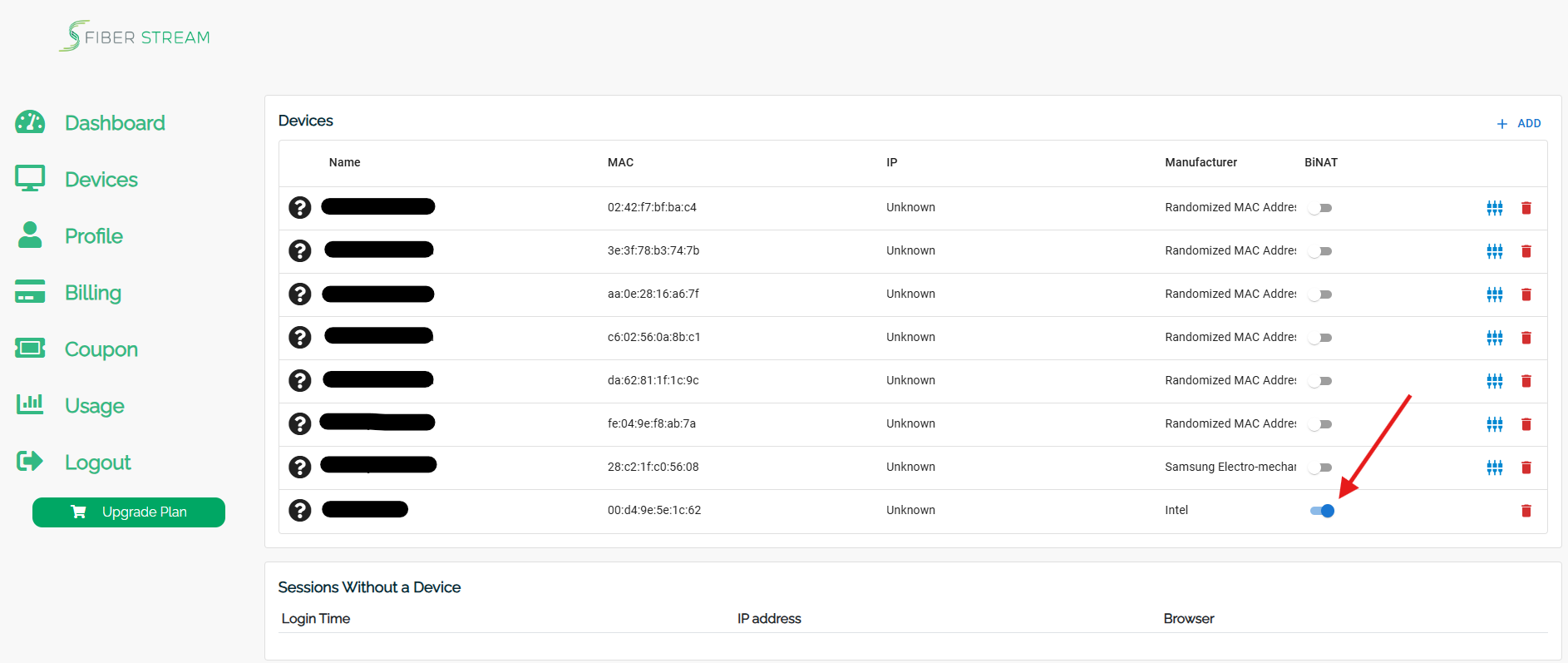
- Navigate to the devices tab > once you have a Gamer Plan, you will see an option called Bi-Nat. Tick the box for your Gaming console.
- Power off the console from the power source for one full minute.
- Reconnect to the Fiber Stream WiFi 5Ghz option and test for Open-Nat-Type from the console.
Still need help?
Start with our 24/7 AI chat. It can solve most issues immediately and escalate you to a technician by text when needed.